Feature From Selection
Instead of typing everything manually, you can also create a feature definition from a selection. This is useful if you have already modeled a complex geometry object and you want to quickly wrap it into a single feature.
The disadvantage of this method is that you have not written it on your own, so that understanding and manipulating the generated code can be a bit more difficult.
How to Select
Select all objects that you want to wrap into a feature, right-click and choose "Create Feature Definition" from the context menu.
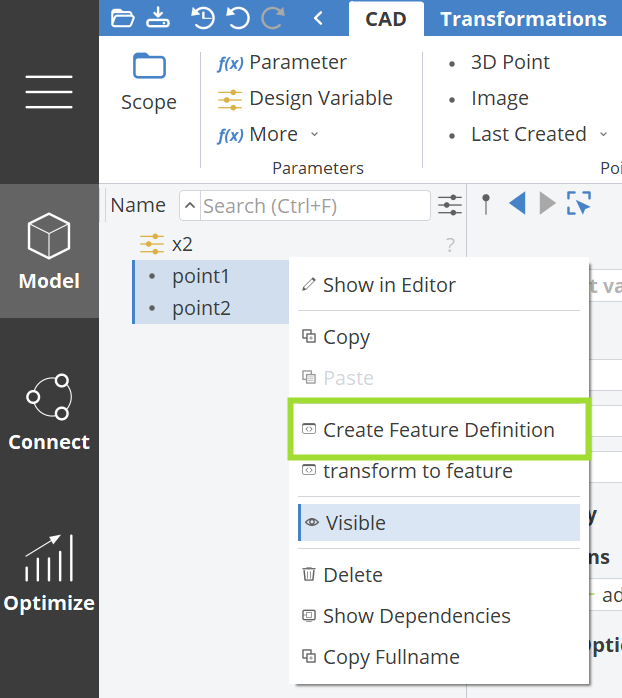
Hold the Ctrl key to select multiple objects.
Everything in your project setup that is selected will be part of the "Create Function". If things are missing (i.e. missing input to the selected objects), they will be automatically set as input arguments of your definition.
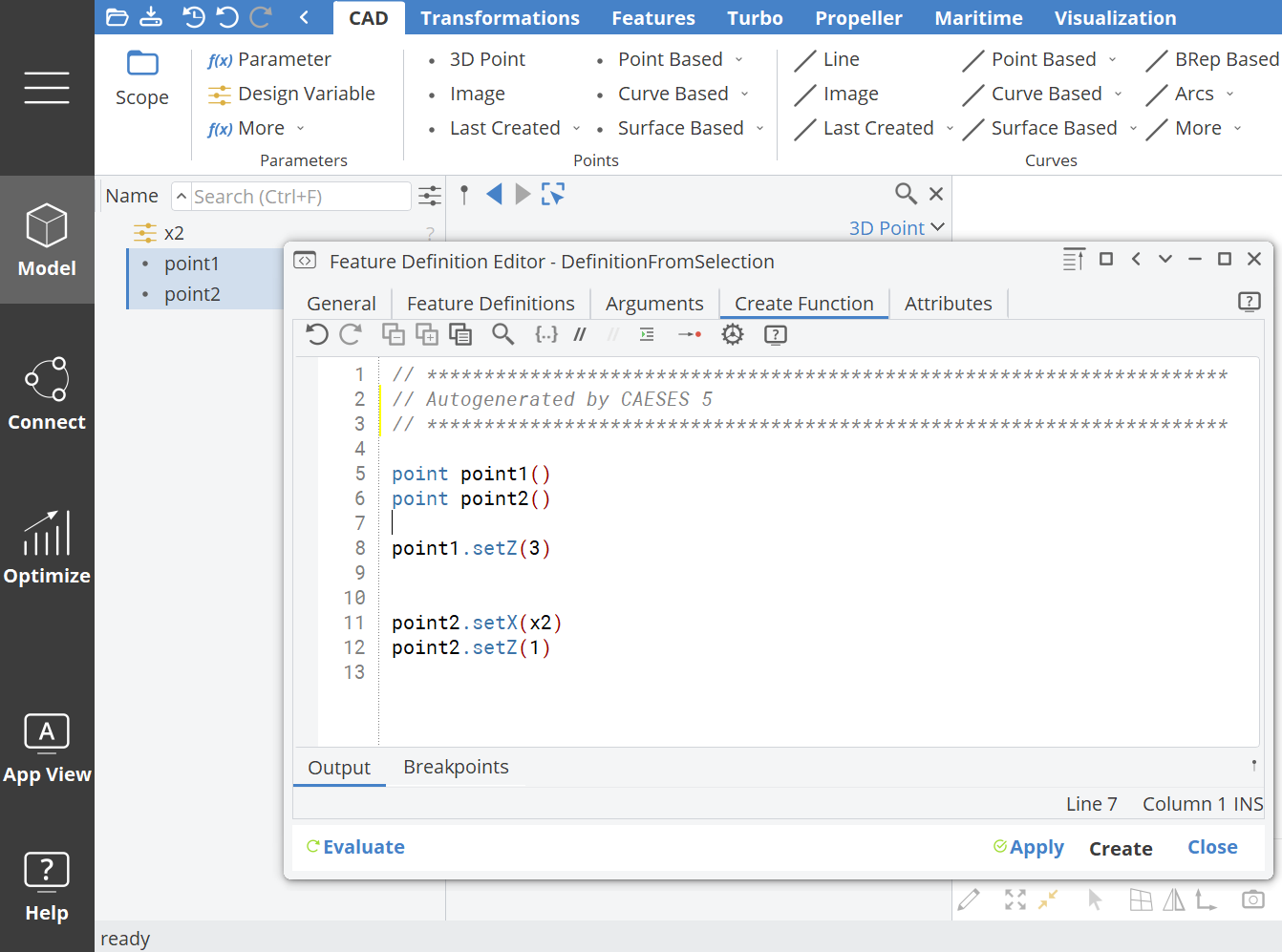
The next screenshot shows the result of the simple example from above: The points were selected, while the design variable x2 wasn't. However, the variable was set at point p2, which is then an input argument of the definition.