CFD Result Values & Objectives
In this area you can extract values from your result files to define objective functions and constraints, or to simply monitor values.
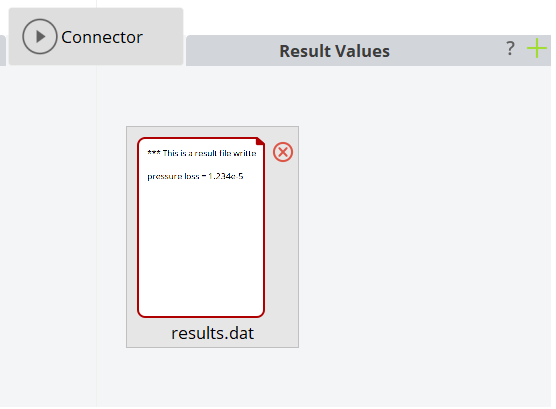
Creation
Click on the plus icon in the upper right corner of the area to add a new entry.
Extracting Values
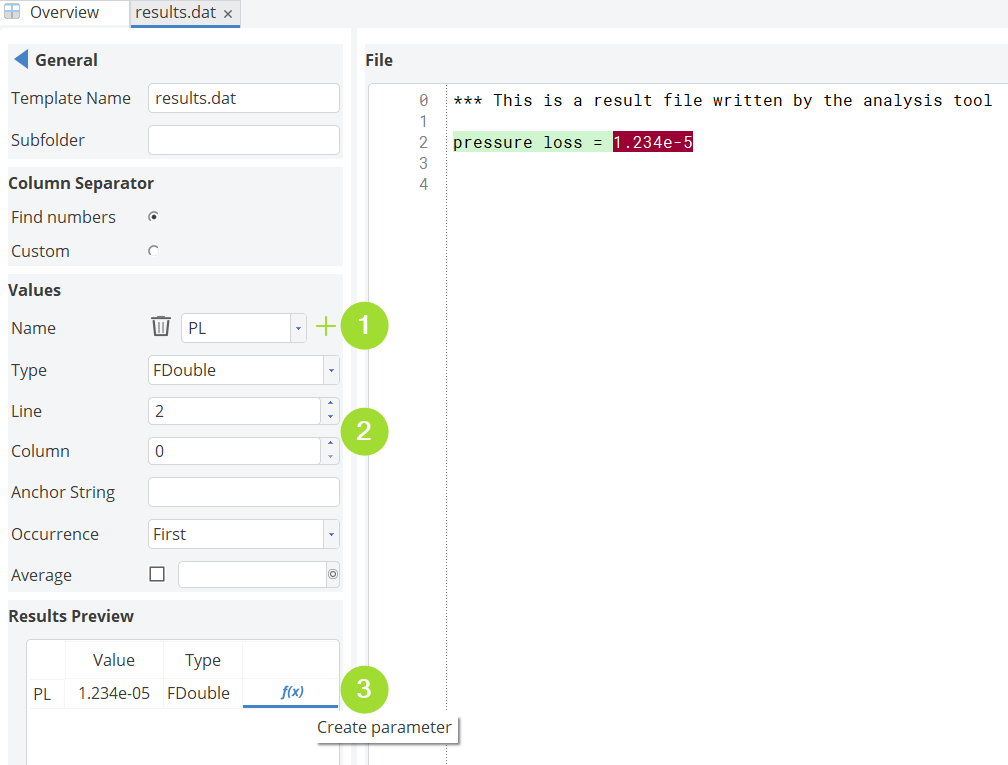
Double-click on the icon to get into into the widget where you can extract values and store them in parameters. In this new widget, do the following to get a value into the CAESES project:
- Click on the plus-icon to add a new value that you want to extract. Set the name.
- Use the line and column counter to browse through the file, see the preview on the right hand side.
- Once the value is detected by CAESES, click on the parameter button to create a parameter in your object tree.
Column Separator
CAESES uses standard column separators (blanks, commas, semicolons, tabs) to search for numbers. If you have specific ones, you can also use regular expressions to help CAESES to find the values in the file.
Line and Column Counter
Use these counters to navigate through the file, to find the value. Note that negative values allow you to start from the end of the file.
Anchor String
For more complex result files, you can specify an anchor string from which the search for the value starts.
Occurrence
If an anchor string occurs more that once, you can tell CAESES which occurrence to take.
Averaging Values
There is an option to average a column of values which works for simple data that is organized in columns (e.g. iterations of a simulation run). Choose a column and set a number that defines how many iterations you want to consider, such as '10' for the last 10 iterations.