Hard Chine Boat Workflow
The Hard Chine Boat Workflow guides you through the creation of a fully-parametric hard chine boat setup in a couple of minutes. The workflow mirrors a typical small boat naval architecture structure.
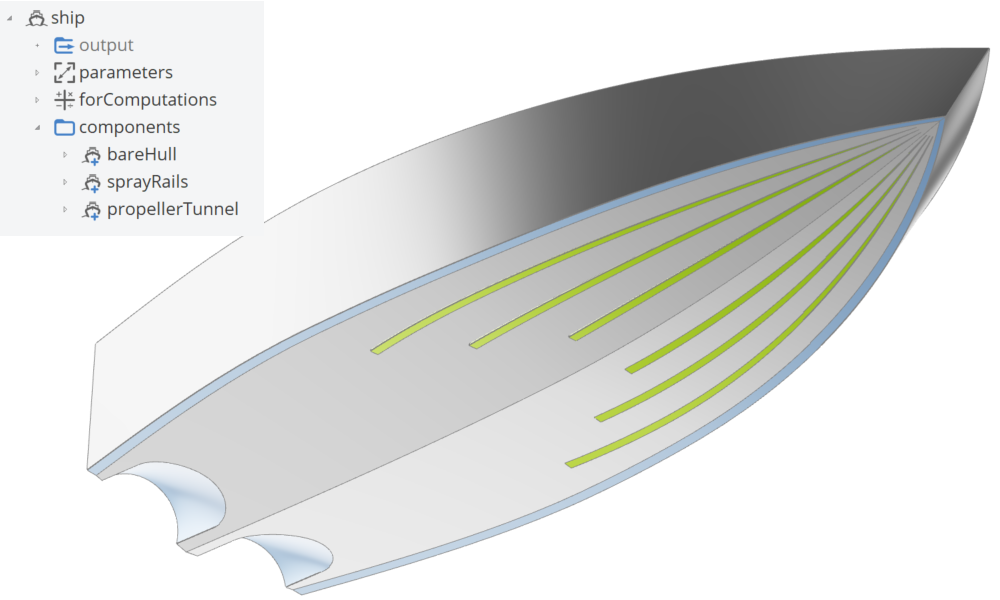
- Hull Parameters are defined as the foundation of the design.
- The Bare Hull geometry is created.
- Optional Spray Rails can be added to further shape and refine the main hull geometry.
- An optional Propeller Tunnel can be created to further refine the main hull geometry.
This intuitive, wizard-like interface is designed to assist both novice and experienced naval architects by simplifying the selection and application of boat-specific features. It ensures that the project structure remains organized and coherent, significantly accelerating the modeling process.
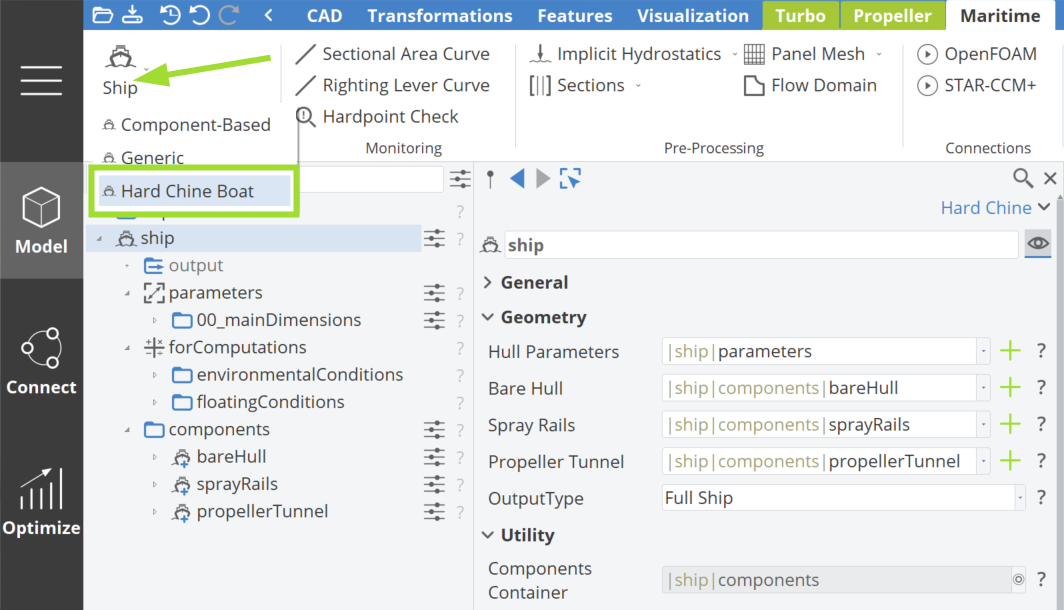
In the Hard Chine Boat Workflow, an asterisk (*) next to a component indicates that the component is required for the generation of a ship geometry.
This systematic process ensures that all major design features are addressed, resulting in a well-structured and fully parametric hard chine boat model.
Step 1 | Define Hull Parameters
By clicking the plus button next to the Hull Parameters, a component of parameters is created, encapsulating the scopes, as depicted in the figure below.
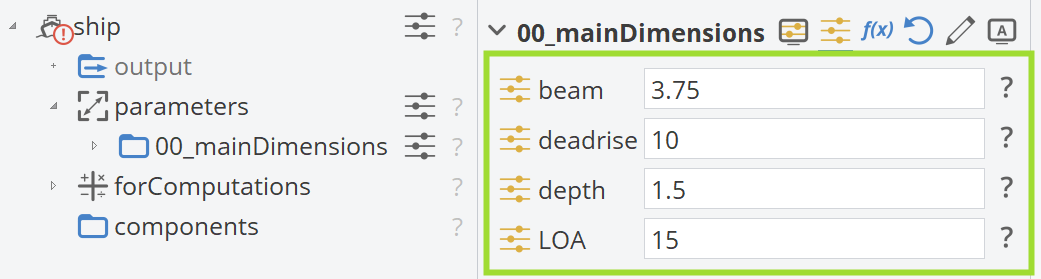
The Main Dimensions use Design Variables that can be modified as needed. These numerical values ultimately define a meaningful hard chine boat hull geometry, such as beam, deadrise, depth and length overall (LOA).
Step 2 | Bare Hull
The Bare Hull is created by clicking the corresponding plus button. The geometry curves used for hull generation are listed below and the design variables affecting these curves are defined within this component:
- Deck
- Keel
- Knuckle
- Hull
- Transom
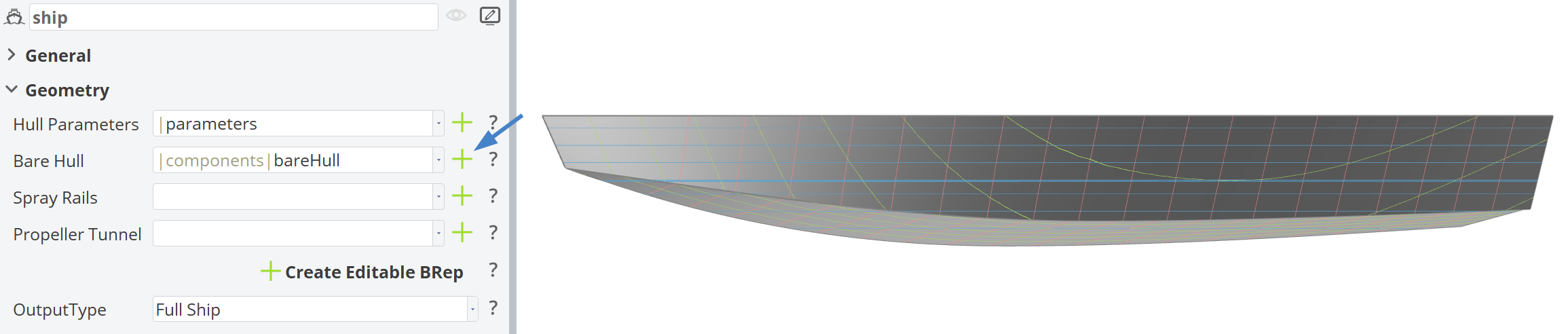
When all required components (Hull Parameters and Bare Hull) are properly defined, a valid Hard Chine Boat Object is generated. The resulting BRep includes appropriate section visualizations based on the main dimensions of the boat hull.
Step 3 | Spray Rails
Spray Rails are created by clicking the corresponding plus button; no pop-up options will appear. The spray rails are attached to the bare hull geometry. The number of spray rails is controlled by the design variable NumberOfSprayRails, while their shape is defined by the remaining design variables within this component.
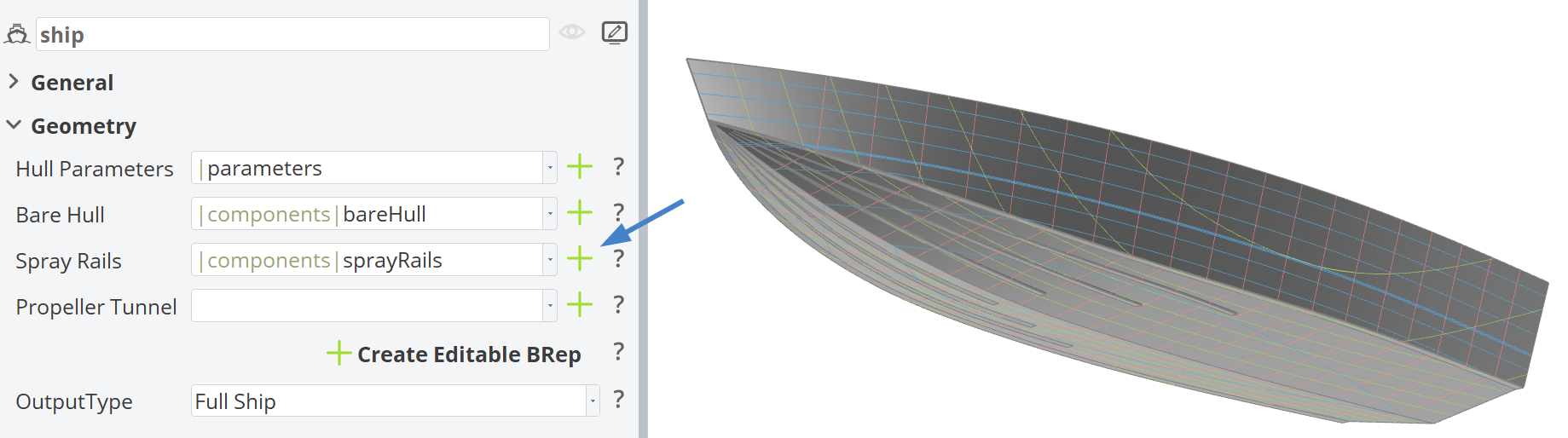
Step 4 | Propeller Tunnel
The Propeller Tunnel is created by clicking the corresponding plus button. The following options are available:
- Single: A single propeller tunnel.
- Twin: Twin propeller tunnel.
Design variables affecting the geometric shape of the Propeller Tunnel are defined within this component.
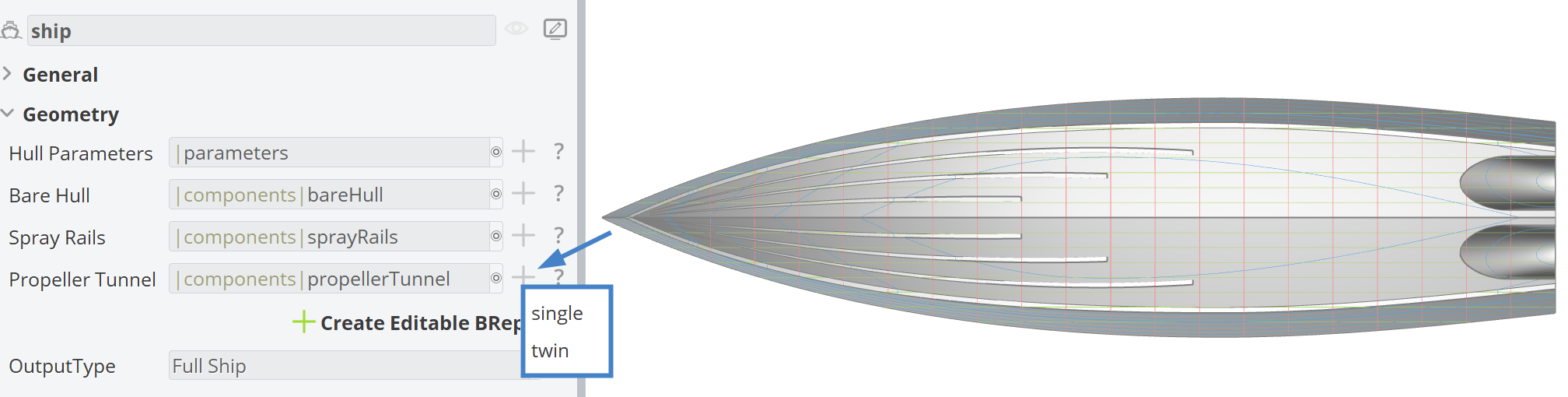
Upon generating the Propeller Tunnel, a negative watertight BRep (tunnel_negativeVolume) is created. The hull is trimmed using this BRep to obtain the final tunnel shape.
The design variable roundedInlet controls whether the propeller tunnel inlet is rounded or not.
Create Editable BRep
If you need to further edit the BRep from the Ship Object, you can click on the Create Editable BRep This will create a BRep named "editableShip", which uses the ship geometry generated in the Ship Object as its source. This allows the user to add operations or any other post processing steps.
Additionally, proper section visualization is included in the generated BRep, based on the main dimensions of the ship hull.
The Ship Object is connected to the editableShip BRep. However, any further operations added to this BRep, will not be reflected in the Output of this Ship Object.
Create a Generic Ship to use the transformed geometry in the Hydrostatics.
Output Type
The available output types are the BRep options that can be obtained from the ship.getShip() command in the Ship Object:
- Full Ship: The complete ship geometry.
- Half Ship: Half of the ship geometry, since ship models are typically symmetric.
- Half Ship without Deck and Transom: A reduced geometry intended for Shipflow computations.
The editableShip BRep, created via the Create Editable BRep button, uses the ship.getShip() command as its source. Therefore, the selected Output Type directly affects this geometry.
CAESES Project File
If you want to take a look at the finalized hard chine model including spray rails and twin propeller tunnels, based on the hard chine modeling workflow, you can find the resulting CAESES project file hard-chine-boat-workflow.cdb here: