Show Dependencies
If your project contains a lot of objects, it is helpful to track the dependencies. For instance, you are interested in which objects get updated if you change a certain design variable. There is a dedicated widget for showing the dependencies: the Dependency Viewer.
In order to check the dependencies for an object, choose Show Dependencies from the context menu (click with the right mouse button on the object):
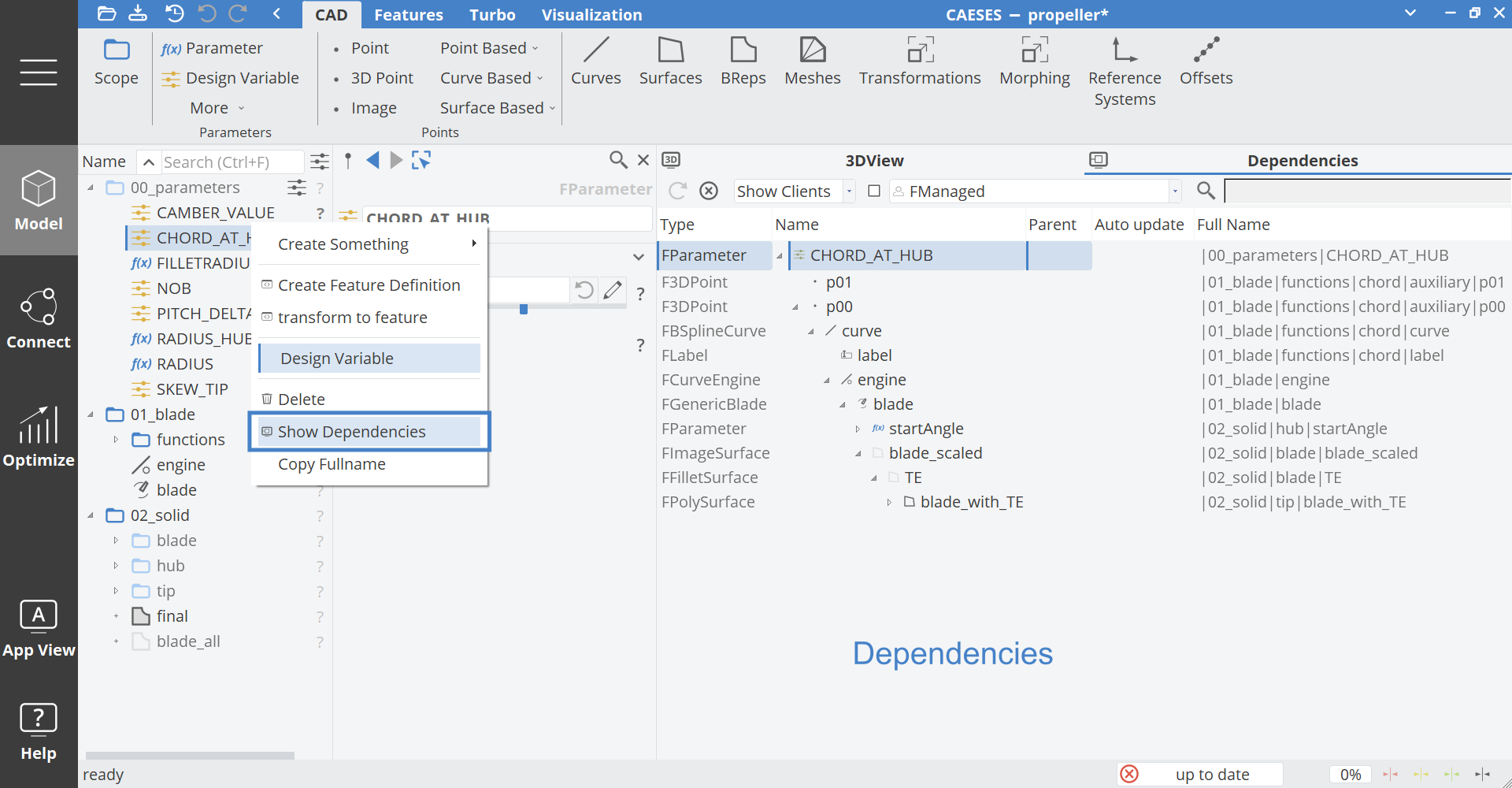
This action will open the dependency viewer where you can browse through all dependencies. CAESES objects have clients and suppliers:
- Clients: Other objects that are downstream in the update process
- Suppliers: Other objects that are upstream in the update process
The dependency viewer contains filter options in the toolbar of the widget: to show only suppliers/clients, or only certain types. There is also a name filter to exclude objects by their name. Just click on the search icon in the toolbar and enter a string.